
You’re three minutes into the latest episode of your favourite anime when the screen freezes. The spinning wheel appears. Again. You refresh, restart, and still nothing changes. The frustration builds as you miss crucial plot points and your excitement fades into annoyance.
Anime streaming problems buffering typically stem from internet speed issues, server congestion, device limitations, or network settings. Most buffering can be fixed by adjusting video quality, clearing cache, optimizing [DNS settings](https://en.wikipedia.org/wiki/Domain_Name_System), or timing your viewing away from peak hours. Geographic restrictions and missing episodes require different approaches including server selection and platform checking.
Why Your Anime Keeps Buffering Right Now
Buffering happens when your device can’t download video data fast enough to maintain smooth playback. The video player needs a constant stream of information, and any interruption creates that dreaded pause.
Several factors cause this breakdown. Your internet connection might be too slow for the video quality you’ve selected. Other devices on your network could be hogging bandwidth. The streaming server itself might be overloaded with viewers watching the same new release.
Distance matters too. If you’re in Malaysia connecting to servers in Japan or the United States, that physical distance adds delay. Each data packet travels thousands of kilometres, and any congestion along the route creates bottlenecks.
Your device plays a role as well. Older phones, tablets, or computers struggle to process high-definition video. Their processors can’t keep up with decoding the stream, even if your internet speed is fine.
Five Tested Fixes for Constant Buffering
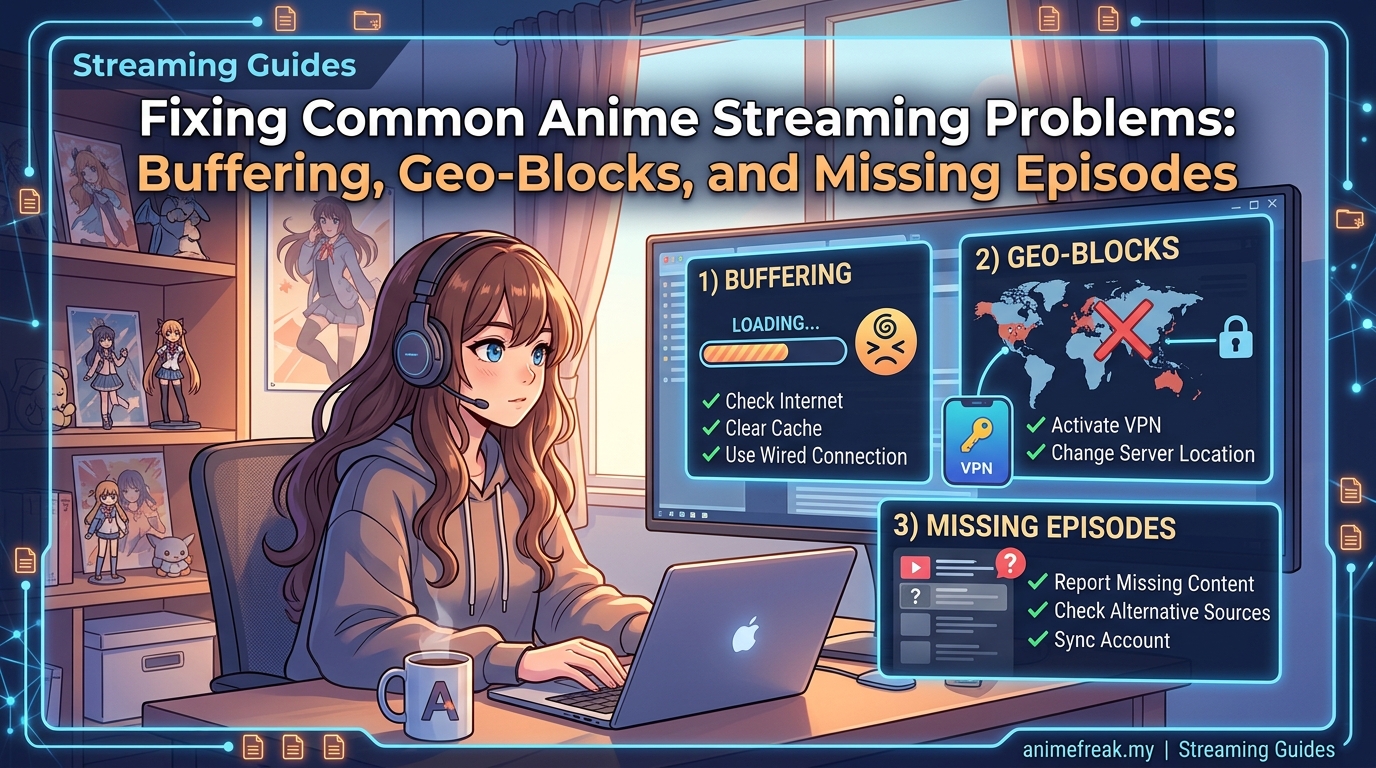
These solutions work for most streaming platforms. Try them in order, testing after each step.
-
Lower your video quality immediately. Switch from 1080p to 720p or even 480p. The difference in visual quality is less noticeable than you think, especially on smaller screens. Most platforms let you change this in the settings menu during playback.
-
Close everything else using your internet. Check for background downloads, software updates, cloud backups, or other streams running on different devices. Each one steals bandwidth from your anime. Pause them all.
-
Restart your router properly. Don’t just press the button. Unplug the power cable, wait 30 seconds, then plug it back in. This clears temporary glitches and refreshes your connection to your internet service provider.
-
Clear your browser or app cache. Old data clogs up the works. On browsers, go to settings and clear browsing data from the past week. On mobile apps, find the app in your phone settings and clear cache there.
-
Connect with an ethernet cable if possible. Wi-Fi is convenient but unstable. A wired connection eliminates interference from walls, other devices, and neighboring networks. If you’re on a laptop, this single change often solves everything.
Understanding Peak Hours and Server Congestion
Streaming services experience massive traffic spikes at predictable times. Knowing these patterns helps you plan better viewing sessions.
In Malaysia, peak streaming hours typically run from 8 PM to 11 PM on weekdays. Weekends see heavy usage from noon onwards. New episode releases create even bigger surges, especially for popular series.
Japanese streaming platforms face their own peak times based on Tokyo hours. If you’re watching on Japanese services, their evening rush (which hits Malaysia in the late afternoon) can slow your stream.
Try watching during off-peak windows:
- Early mornings before 8 AM
- Weekday afternoons between 2 PM and 5 PM
- Late nights after midnight
You’ll notice significantly better performance. The same server that crawls at 9 PM might deliver perfect 1080p at 7 AM.
Network Settings That Actually Make a Difference
Most people never touch their DNS settings, but changing them can dramatically improve streaming performance.
DNS servers translate website names into IP addresses. Your default DNS (usually provided by your internet service provider) might be slow or unreliable. Switching to faster public DNS servers reduces the time needed to connect to streaming platforms.
Here’s how to change DNS on common devices:
On Windows:
– Open Network Settings
– Click Change Adapter Options
– Right-click your connection and select Properties
– Select Internet Protocol Version 4
– Choose “Use the following DNS server addresses”
– Enter 1.1.1.1 and 1.0.0.1
On mobile devices:
– Go to Wi-Fi settings
– Tap your network name
– Find DNS settings
– Change to manual and enter the same addresses
Cloudflare’s 1.1.1.1 and Google’s 8.8.8.8 are both reliable options. Test both to see which works better for your location and streaming platform.
“I spent months frustrated with buffering until I changed my DNS settings. The difference was immediate. Episodes that used to pause every few minutes now play smoothly from start to finish. It’s such a simple fix that more people should know about.” – Regular anime viewer from Kuala Lumpur
Device and Browser Optimization Techniques
Your hardware and software setup affects streaming more than you might realize.
Browser extensions can kill performance. Ad blockers, privacy tools, and other add-ons consume processing power. Disable them temporarily to test if they’re causing issues. Some ad blockers actually improve streaming by removing video ads, so test both ways.
Update your graphics drivers. Outdated drivers struggle with video playback. Visit your graphics card manufacturer’s website (NVIDIA, AMD, or Intel) and download the latest version. This single update can eliminate stuttering and buffering.
Close unnecessary browser tabs. Each open tab uses memory and processing power. If you have 20 tabs open while trying to stream anime, your computer is working much harder than needed.
Use the right browser. Chrome handles video well but eats RAM. Firefox offers better privacy with decent performance. Edge works surprisingly well on Windows. Safari is best for Mac users. Test different browsers to find which streams smoothest on your device.
The Geographic Restriction Problem
Geo-blocking is different from buffering but equally frustrating. You click play and get an error message saying the content isn’t available in your region.
Streaming platforms restrict content based on licensing agreements. A show available in Japan might not be licensed for Malaysia. Or it might be exclusive to a different platform in your region.
Some services detect your location through your IP address. Others check your payment method, account registration country, or app store region.
Solutions that respect platform terms:
Check if the anime is available on a different legal platform in Malaysia. Many shows stream on multiple services. One platform’s exclusive might be another’s standard library.
Wait for regional releases. Popular anime often get licensed for Southeast Asian markets within weeks or months of Japanese release.
Use platforms that officially serve Malaysia. They’ve already secured the rights for content they show you.
Missing Episodes and Incomplete Series
You’re binge-watching a series when suddenly episode 12 is missing. Or the platform only has season one when season two already aired.
This happens for several reasons:
Licensing windows expire. Platforms pay for content rights for specific time periods. When those contracts end, episodes disappear until new agreements are reached.
Regional licensing differs. A platform might have rights to episodes 1-12 in Malaysia but episodes 1-24 in other countries.
Delayed releases are common. Simulcast schedules don’t always include all regions. You might wait days or weeks for episodes available elsewhere immediately.
Check multiple legal platforms. Different services license different content. The episode missing from one might be available on another.
Comparing Common Buffering Solutions
| Solution | Effectiveness | Difficulty | Cost |
|---|---|---|---|
| Lower video quality | Very high | Very easy | Free |
| Clear cache | High | Easy | Free |
| Change DNS | High | Medium | Free |
| Upgrade internet plan | Very high | Easy | RM 50-200/month |
| Use ethernet cable | High | Easy | RM 10-30 one time |
| Watch off-peak hours | Medium | Very easy | Free |
| Close other devices | High | Easy | Free |
| Update drivers | Medium | Medium | Free |
The table shows that most effective solutions cost nothing. Before paying for faster internet, try every free option first.
Mobile Streaming Specific Issues
Watching anime on phones and tablets introduces unique challenges.
Mobile data limits create artificial buffering. Your connection might be fast enough, but if you’ve hit your data cap, your provider throttles your speed. Check your data usage in phone settings.
Background app refresh steals bandwidth. Apps update themselves even when you’re not using them. Disable background refresh for apps you don’t need updated constantly.
Power saving modes limit performance. Your phone might reduce processor speed and network activity to save battery. Disable power saving while streaming, or plug in your charger.
Smaller screens hide quality differences. You can watch at 480p or 720p on a phone without noticing much difference from 1080p. The bandwidth savings are massive.
When the Problem Isn’t On Your End
Sometimes you’ve tried everything and buffering persists. The issue might be with the streaming platform itself.
Server outages happen. Popular platforms occasionally crash under heavy load. Check social media or status pages to see if others report problems.
Regional server issues affect specific areas. Your platform might have server problems in Southeast Asia while working fine elsewhere.
CDN routing problems create localized slowdowns. Content delivery networks use complex routing. Sometimes your traffic gets sent through congested paths.
What to do:
– Check the platform’s social media for outage reports
– Try streaming different content to see if specific shows have issues
– Contact customer support with specific details about your problem
– Consider switching platforms if problems persist
Bandwidth Requirements for Different Quality Levels
Understanding how much speed you actually need prevents unnecessary upgrades.
- 480p (SD): 3 Mbps minimum
- 720p (HD): 5 Mbps minimum
- 1080p (Full HD): 8 Mbps minimum
- 4K (Ultra HD): 25 Mbps minimum
These are per-stream requirements. If three people in your household watch anime simultaneously, multiply accordingly.
Test your actual speed at different times of day. Your internet plan might promise 100 Mbps, but if you only get 10 Mbps during evening hours, that’s your real speed.
Run speed tests at:
– Speedtest.net
– Fast.com (powered by Netflix, good for streaming tests)
– Your internet provider’s speed test tool
Test multiple times across different days and hours. Note patterns in when your speed drops.
Router Placement and Wi-Fi Optimization
Physical router location affects streaming quality more than most people realize.
Bad router locations:
– Inside cabinets or closets
– Behind large furniture
– Near microwave ovens
– In corners of the house
– On the floor
Better router locations:
– Central to your living space
– Elevated on shelves or mounted high
– Away from thick walls
– Clear of metal objects
– Near where you stream most often
Wi-Fi channel congestion matters in apartments. If you live in a condo or flat with many neighbors, their routers interfere with yours. Download a Wi-Fi analyzer app and check which channels are crowded. Switch your router to a less congested channel in router settings.
The 5 GHz band offers better performance than 2.4 GHz for streaming. It’s faster but has shorter range. Use 5 GHz when you’re in the same room as your router. Stick with 2.4 GHz for distant rooms.
Platform-Specific Troubleshooting Tips
Different streaming services have unique quirks and solutions.
Some platforms let you pre-download episodes for offline viewing. This completely bypasses buffering. Download episodes during off-peak hours over Wi-Fi, then watch anytime without interruption.
Certain services offer adaptive bitrate streaming that automatically adjusts quality based on your connection. Others require manual quality selection. Learn which type your platform uses.
Some apps perform better than their website versions. Others work best in browsers. Test both options for your preferred platform.
Account settings sometimes include streaming quality preferences that override individual episode settings. Check your account profile for hidden quality limits.
Long-Term Solutions Worth Considering
If you stream anime regularly and buffering is a constant problem, these investments pay off.
Upgrading your internet plan makes sense if you’ve maxed out your current speed. Calculate the cost per month against the frustration saved. Sometimes an extra RM 30 monthly eliminates hours of buffering headaches.
Mesh Wi-Fi systems solve coverage problems in larger homes. Instead of one router struggling to reach every room, mesh systems use multiple units that work together. They cost more upfront (RM 500-1500) but eliminate dead zones completely.
Dedicated streaming devices like Roku, Apple TV, or Android TV boxes often outperform smart TV apps or older computers. They’re optimized specifically for video streaming and receive regular updates.
Getting Your Favourite Shows Back On Track
Streaming anime should be relaxing, not rage-inducing. Most buffering problems have simple solutions that take minutes to implement. Start with the easiest fixes like lowering quality and clearing cache. Move to network optimization if basic steps don’t help.
Remember that timing matters as much as technology. Watching during off-peak hours often works better than any technical fix. And sometimes the problem really isn’t on your end, so don’t spend hours troubleshooting platform-wide outages.
Test these solutions one at a time so you know what actually works. Once you’ve optimized your setup, you can get back to what matters: enjoying the stories, characters, and moments that make anime special. No more interruptions, no more spinning wheels, just smooth playback from opening theme to end credits.